
Monterey Golf1.0 - App Store
You'll be able to see results in few seconds.
Publisher Description
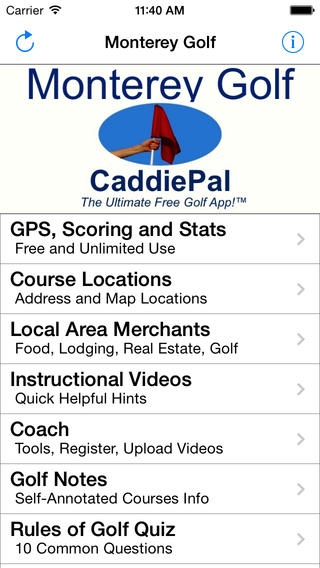
This free CaddiePal app provides cutting edge unlimited GPS Yardage and Scoring for 38 public and private Monterey, California region golf courses.
Golf Courses Include:
Salinas Golf and Country Club
Tehama Golf Course
Bayonet Golf Course
Black Horse Golf Course
Bolado Park Golf Club
Carmel Valley Ranch Golf Course
Casserly Par-3 Golf Course
CordeValle Golf Club
Corral De Tierra Country Club
Cypress Point Club
De Laveaga Golf Course
Del Monte Golf Course
Eagle Ridge Golf Club
Gavilian Golf Course
Gilroy Golf Course
Golf Club at Quail Lodge
La Rinconada Country Club
Laguna Seca Golf Club
Monterey Peninsula Country Club, Dunes
Monterey Peninsula Country Club, Shores
Pacific Grove Golf Course
Pajaro Valley Golf Club
Pasadera Golf & Country Club
Pebble Beach Golf Links
Poppy Hills Golf Course
Rancho Canada Golf Club, East
Rancho Canada Golf Club, West
Ridgemark Golf & Country Club, Diablo
Ridgemark Golf & Country Club, Gabilan
Salinas Fairways Golf Course
San Juan Oaks Golf Club
Seascape Golf Club
Spring Hills Golf Course
Spyglass Hill Golf Course
The Links at Spanish Bay
The Preserve Golf Club
Twin Creeks Golf Course
Requires iOS 6.0 or later. Compatible with iPhone, iPad, and iPod touch.
About Monterey Golf
The company that develops Monterey Golf is Innovation Delivered, LLC. The latest version released by its developer is 1.0.
To install Monterey Golf on your iOS device, just click the green Continue To App button above to start the installation process. The app is listed on our website since 2014-05-14 and was downloaded 0 times. We have already checked if the download link is safe, however for your own protection we recommend that you scan the downloaded app with your antivirus. Your antivirus may detect the Monterey Golf as malware if the download link is broken.
How to install Monterey Golf on your iOS device:
- Click on the Continue To App button on our website. This will redirect you to the App Store.
- Once the Monterey Golf is shown in the iTunes listing of your iOS device, you can start its download and installation. Tap on the GET button to the right of the app to start downloading it.
- If you are not logged-in the iOS appstore app, you'll be prompted for your your Apple ID and/or password.
- After Monterey Golf is downloaded, you'll see an INSTALL button to the right. Tap on it to start the actual installation of the iOS app.
- Once installation is finished you can tap on the OPEN button to start it. Its icon will also be added to your device home screen.
Program Details
System requirements
Download information
Pricing
Version History
version 1.0
posted on 2014-05-14
Disclaimer
Official App Store Link
We do not host Monterey Golf on our servers. We did not scan it for viruses, adware, spyware or other type of malware. This app is hosted by Apple and passed their terms and conditions to be listed there. We recommend caution when installing it.
The App Store link for Monterey Golf is provided to you by apps112.com without any warranties, representations or guarantees of any kind, so access it at your own risk.
If you have questions regarding this particular app contact the publisher directly. For questions about the functionalities of apps112.com contact us.
